Introduction
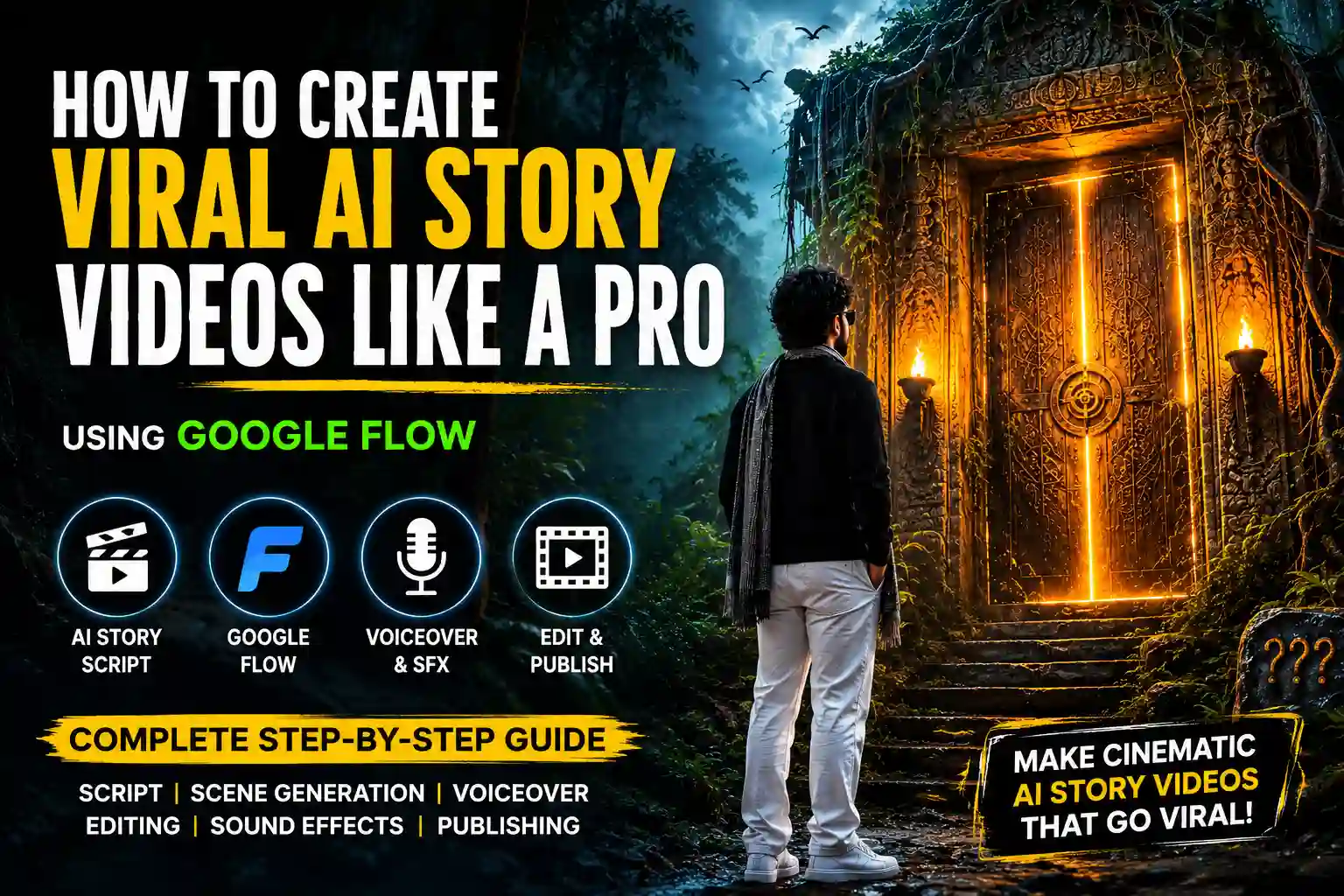
AI storytelling videos are becoming one of the biggest trends on YouTube Shorts, Instagram Reels, and Facebook Reels. Instead of creating a random video, successful creators build a series where every episode ends with suspense. This encourages viewers to follow the page and return for the next part.
If you’ve ever wondered how creators make cinematic AI story videos with consistent characters, dramatic scenes, and engaging narration, this guide will walk you through the complete process—from the initial idea to publishing the final video.
Whether you’re a beginner or an experienced content creator, this workflow can help you create professional-looking AI story videos.
Step 1: Create a Strong Story Idea
Every successful series starts with one simple question:
“What if…?”
Examples:
- What if a mysterious door appeared in a forest?
- What if a boy found a magical key?
- What if someone entered a world where time had stopped?
- What if an abandoned village was still alive?
Choose one idea and build your story around it.
Step 2: Create One Main Character
Avoid introducing too many characters in the beginning.
Instead, create one memorable hero.
Example:
Name: Harigopal
Keep the character’s appearance consistent in every scene.
Include details such as:
- Age
- Hairstyle
- Clothes
- Facial expression
- Body type
- Accessories
This helps AI generate more consistent videos.
Step 3: Write the Story Part by Part
Don’t try to create a 10-minute story at once.
Instead, divide it into small episodes.
Example:
Part 1
- Hero discovers a mysterious key.
Part 2
- The key opens an ancient door.
Part 3
- The hero enters another world.
Part 4
- A dangerous creature appears.
Part 5
- The biggest secret is revealed.
Each part should end with a cliffhanger.
That is what keeps viewers waiting for the next episode.
Step 4: Write a 10-Second Script for Every Scene
Instead of writing one long script, divide it into short scenes.
Example:
Scene 1
Hook
Scene 2
Discovery
Scene 3
Problem
Scene 4
Suspense
Scene 5
Cliffhanger
This structure is much easier to generate with AI video tools.
Step 5: Generate Videos with Google Flow
Google Flow is Google’s AI filmmaking tool designed to create cinematic videos using advanced AI models like Veo, Imagen, and Gemini. It supports text-to-video generation, scene creation, and consistent storytelling workflows.
You can start here:
Inside Google Flow:
- Create a new project.
- Select the appropriate aspect ratio (9:16 for Shorts and Reels).
- Paste your scene prompt.
- Generate multiple variations.
- Choose the best result.
- Repeat for every scene.
Generating several versions of each scene usually gives you more options to create a polished final video.
Step 6: Generate Every Scene Separately
Don’t generate the entire story in one prompt.
Instead:
Scene 1 → Generate
Scene 2 → Generate
Scene 3 → Generate
Scene 4 → Generate
Scene 5 → Generate
This gives you much better control over pacing and visual quality.
Step 7: Record or Generate the Voiceover
After your scenes are ready:
- Write the narration.
- Record your own voice or use an AI voice.
- Keep the narration emotional and energetic.
- Speak naturally.
Good storytelling matters more than fancy visuals.
Step 8: Add Sound Effects
Sound effects dramatically improve viewer engagement.
Examples:
- Footsteps
- Wind
- Thunder
- Door opening
- Heartbeat
- Explosion
- Monster roar
- Birds
- Forest ambience
These make the story feel cinematic.
Step 9: Edit the Video
Use your preferred editor.
Arrange:
- Scene 1
- Scene 2
- Scene 3
- Scene 4
- Scene 5
Then add:
- Voiceover
- Background music
- Sound effects
- Subtitles
- Zoom effects
- Transitions
Finally, export in 1080×1920 (9:16).
Step 10: Always End with a Cliffhanger
This is the secret behind viral story series.
Instead of ending the story, leave viewers curious.
Examples:
- “The door slowly opened…”
- “Someone was standing behind him…”
- “He wasn’t alone anymore…”
- “Everything changed in one second…”
Curiosity drives repeat viewers.
Step 11: Use a Strong Call to Action
Finish every video with a clear CTA.
Example:
“If you want to create videos like this, visit the link in my bio or search HGPromts.in on Google for free AI prompts.
Follow now so you don’t miss Part 2, and share this video with your friends.”
Pro Tips
- Keep one consistent character throughout the series.
- Use cinematic camera angles.
- Add dramatic lighting.
- Maintain the same art style.
- Keep each episode between 40 and 60 seconds.
- End every episode with suspense.
- Post consistently to build an audience.
Common Mistakes to Avoid
- Changing the character’s appearance in every scene.
- Making episodes too long.
- Using weak hooks.
- Ending without suspense.
- Posting irregularly.
- Ignoring subtitles.
- Using low-quality audio.
Final Thoughts
Creating viral AI story videos isn’t about generating random clips. It’s about combining storytelling, consistent characters, cinematic visuals, emotional narration, and strong cliffhangers.
Google Flow makes it easier to generate cinematic scenes, but the real difference comes from your script and storytelling. Plan every episode carefully, keep your character consistent, and give viewers a reason to come back for the next part.
With practice and consistency, you can build a recognizable AI story series that keeps your audience engaged across YouTube Shorts, Instagram Reels, and Facebook Reels.