
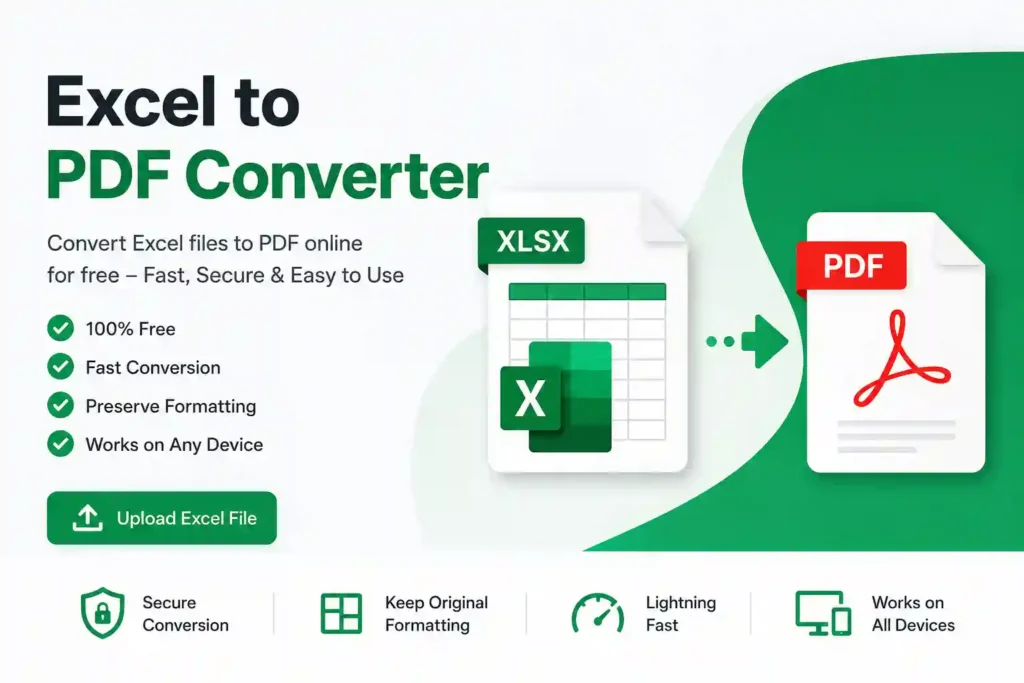
Excel to PDF Converter – Convert Excel Files to High-Quality PDF Online for Free
Managing spreadsheets is an essential part of work, education, and business. Microsoft Excel is one of the most widely used applications for organizing data, creating reports, maintaining budgets, and analyzing information. However, there are many situations where sharing an Excel file is not the best option. Formatting may change, formulas can be edited, and compatibility issues may occur on different devices.
This is where an Excel to PDF Converter becomes incredibly useful. It allows you to convert Excel spreadsheets into PDF documents while preserving the original layout, formatting, tables, charts, and fonts. PDFs are universally accepted, easier to share, and much safer because recipients cannot accidentally modify the content.
Our free Excel to PDF Converter provides a fast, secure, and hassle-free way to transform your spreadsheets into professional-looking PDF files without installing any software.
What Is an Excel to PDF Converter?
An Excel to PDF Converter is an online tool that converts Microsoft Excel spreadsheets (.XLS and .XLSX) into PDF documents. Instead of sending editable spreadsheets, you can create a fixed-format PDF that looks exactly the way you designed it.
Whether you are preparing business reports, invoices, financial statements, project plans, academic assignments, or sales data, converting Excel files into PDF ensures your document appears consistent on every device.
The conversion process keeps your tables, colors, formatting, images, charts, page layout, and text intact, making the PDF ideal for printing and sharing.
Why Convert Excel Files to PDF?
Excel files are designed for editing and calculations. While this is useful during the creation process, it is often not desirable when sharing documents.
PDF files offer several advantages:
- Prevent accidental editing
- Preserve original formatting
- Easy to print
- Compatible with every operating system
- Professional appearance
- Smaller file size in many cases
- Secure document sharing
Instead of worrying about formatting problems or missing fonts, you can confidently send a PDF knowing it will look exactly as intended.
Key Features of Our Excel to PDF Converter
Fast Conversion
Upload your Excel spreadsheet and receive a PDF in just a few seconds.
Completely Free
There are no hidden charges, subscriptions, or registration requirements.
Supports XLS and XLSX
The converter works with both older Microsoft Excel (.XLS) files and modern (.XLSX) spreadsheets.
Preserves Formatting
Tables, colors, charts, images, cell borders, fonts, and page layouts remain intact after conversion.
Easy to Use
The interface is simple enough for beginners while still being powerful enough for professionals.
Secure Processing
Your uploaded files are processed securely, helping protect your sensitive information.
Works on Any Device
Whether you use Windows, macOS, Linux, Android, or iPhone, the converter works directly in your web browser.
How to Convert Excel to PDF Online
Using the tool is straightforward.
Step 1: Upload Your Excel File
Select your Excel spreadsheet from your computer or mobile device.
Step 2: Start the Conversion
Click the Convert button. The tool automatically processes your spreadsheet.
Step 3: Wait a Few Seconds
The conversion usually finishes within moments, depending on the file size.
Step 4: Download Your PDF
Save the newly created PDF document and share or print it whenever needed.
No technical knowledge is required.
Benefits of Using PDF Instead of Excel
Better Document Security
PDF files are much harder to modify than Excel spreadsheets.
Consistent Appearance
The formatting remains exactly the same regardless of the device or operating system.
Professional Sharing
Businesses often require reports and invoices in PDF format because they appear cleaner and more professional.
Easy Printing
PDF documents are optimized for printing without unexpected layout changes.
Universal Compatibility
Almost every computer, smartphone, and tablet can open PDF files without additional software.
Common Uses for Excel to PDF Conversion
People from different industries use Excel to PDF converters every day.
Business Reports
Convert monthly sales reports into printable PDFs.
Financial Statements
Share budgets, profit reports, and accounting spreadsheets securely.
Invoices
Turn editable invoice templates into final PDF invoices before sending to clients.
School Projects
Students can submit assignments in PDF format instead of editable spreadsheets.
Office Documents
HR departments, administrators, and managers frequently convert Excel sheets into PDFs for official documentation.
Inventory Lists
Create printable stock reports for warehouses and retail businesses.
Who Should Use This Tool?
This tool is perfect for:
- Students
- Teachers
- Business owners
- Accountants
- Office employees
- Data analysts
- Project managers
- Sales teams
- Financial professionals
- Freelancers
Anyone working with Excel spreadsheets can benefit from converting them into PDFs.
Why Choose Our Excel to PDF Converter?
Many online converters are slow, filled with advertisements, or require account registration.
Our converter focuses on providing a clean and efficient experience.
Advantages include:
- Free to use
- No software installation
- Fast conversion
- Mobile-friendly interface
- Professional output quality
- Secure processing
- Supports modern browsers
- Easy download
Whether you’re converting one spreadsheet or multiple reports every day, the tool delivers reliable results.
Tips for Better PDF Output
To get the best conversion results:
- Adjust page margins before uploading.
- Set the correct page orientation (Portrait or Landscape).
- Remove unnecessary blank rows and columns.
- Preview your spreadsheet in Excel before converting.
- Use print-friendly formatting.
These small adjustments can significantly improve the appearance of the final PDF.
Frequently Asked Questions
Is the tool free?
Yes. You can convert Excel files to PDF without paying any fees.
Does it support XLSX files?
Yes. Both XLS and XLSX formats are supported.
Will formulas remain editable?
No. After conversion, formulas become part of the PDF document and cannot be edited like an Excel spreadsheet.
Can I use it on my phone?
Absolutely. The converter works on Android, iPhone, tablets, laptops, and desktop computers.
Is my data secure?
Yes. Files are processed securely, making it suitable for personal and professional documents.
Final Thoughts
An Excel to PDF Converter is an essential productivity tool for anyone who regularly works with spreadsheets. Instead of sharing editable Excel files that may lose formatting or be modified accidentally, you can create professional PDF documents that preserve every detail of your work.
Whether you’re preparing financial reports, invoices, school assignments, business presentations, or project documentation, converting Excel files into PDF ensures a polished and reliable result. Our free online converter makes the process quick, secure, and effortless, allowing you to transform spreadsheets into high-quality PDFs in just a few clicks.
With no installation, no registration, and support for all major devices, this Excel to PDF Converter is the perfect solution for students, professionals, and businesses looking for a simple and dependable way to share spreadsheet data in a universally accepted format.