
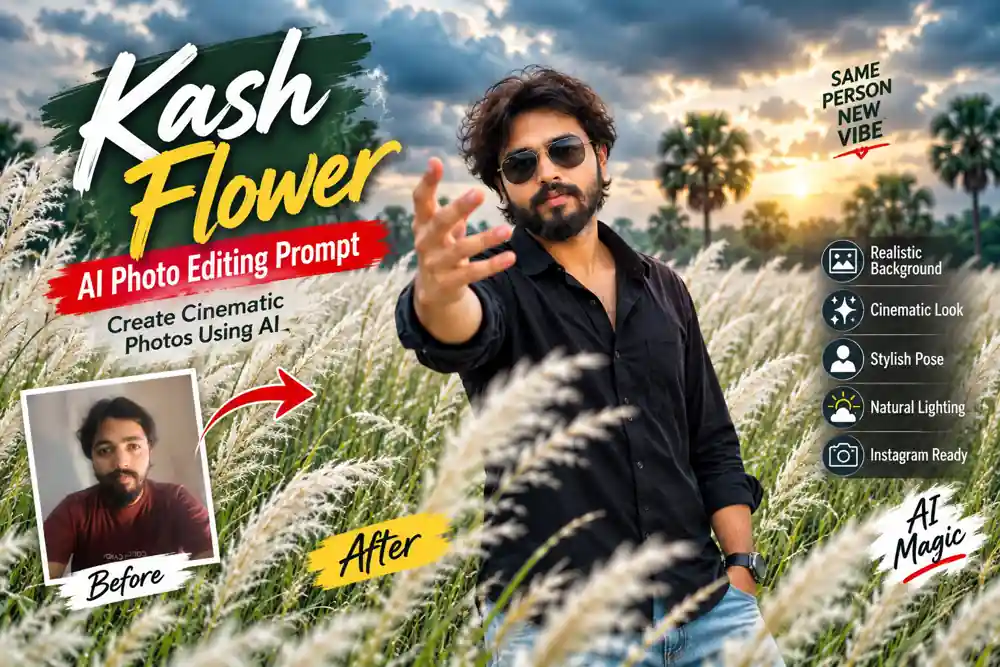
Aajkal Kash Flower AI Photo Editing Prompt Instagram aur social media par kaafi popular ho raha hai. White Kash Phool (कांश फूल) ke beautiful fields, cloudy sky, cinematic lighting aur stylish outfits ke saath AI-generated photos ek premium photography look dete hain.
Agar aap bhi apni normal photo ko ek stunning Kash Flower field portrait mein convert karna chahte hain, toh is article mein aapko detailed AI photo editing prompts milenge. In prompts ki madad se aap apni photo ko natural, cinematic aur Instagram-ready look de sakte hain.
Is guide mein hum cover karenge:
- Kash Flower AI Photo Editing Prompt kya hai?
- Apni photo ko Kash Phool field mein kaise edit karein?
- Boys aur girls ke liye cinematic prompts.
- Motorcycle ke saath Kash Flower photo prompt.
- AI editing ke liye important tips.
What Is Kash Flower AI Photo Editing Prompt?
Kash Flower AI Photo Editing Prompt ek aisa text instruction hai jiska use AI image editing tools mein kiya jata hai. Is prompt ki madad se aap apni existing photo ka background, outfit, lighting aur overall photography style change kar sakte hain.
Kash Phool ke white flowers, green fields aur dramatic sky photo ko ek cinematic outdoor portrait jaisa appearance de sakte hain.
For example, aap ek simple indoor selfie upload karke AI ko instruction de sakte hain:
“Transform this photo into a cinematic portrait of a young man standing in a field of tall white Kash flowers under a moody overcast sky.”
AI tool aapke instructions ke according image generate ya edit karne ki koshish karega. Face identity preserve karne ke liye reference photo aur clear instructions ka use karna important hai, lekin har AI tool exact identity preservation guarantee nahi karta.
How to Create Kash Flower AI Photos?
Agar aap apni photo ko Kash Phool field mein convert karna chahte hain, toh neeche diye gaye steps follow karein.
Step 1: Select a Clear Photo
Sabse pehle apni ek high-quality photo select karein. Face clearly visible hona chahiye, aur photo mein sufficient lighting honi chahiye.
Front-facing photo, portrait photo ya standing photo editing ke liye useful ho sakti hai.
Step 2: Choose an AI Photo Editing Tool
Aap kisi AI image editing tool ka use kar sakte hain jo reference image upload aur text-based editing support karta ho.
Tool mein apni photo upload karein aur neeche diya gaya prompt paste karein.
Step 3: Add the Kash Flower Prompt
Prompt mein background, clothing, pose, lighting aur camera style clearly mention karein.
Jitni specific instructions hongi, AI ke liye desired visual direction samajhna utna easy ho sakta hai. Phir bhi output tool aur reference image par depend karega.
Best Kash Flower AI Photo Editing Prompts
Neeche different styles ke liye ready-to-use prompts diye gaye hain.
1. Cinematic Kash Flower AI Prompt for Boys
Agar aap ek stylish male portrait banana chahte hain, toh is prompt ka use kar sakte hain.
Copy Prompt
Create an ultra-realistic cinematic outdoor portrait of the man in the reference photo standing in a vast green field filled with tall white Kash Phool (Kans grass). Preserve his facial identity, facial features, hairstyle, skin tone, and natural body proportions as accurately as possible.

He is wearing a stylish black oversized casual shirt with an open collar and light blue relaxed-fit jeans. Add dark sunglasses and a natural confident expression. His right hand is extended toward the camera with fingers spread in a dramatic, artistic gesture, while his other hand rests naturally.

The background features dense white Kash flowers, distant green trees, and a moody overcast sky with soft haze. Use cinematic lighting, realistic shadows, natural skin texture, shallow depth of field, professional DSLR photography, sharp facial details, and a premium Instagram editorial style. Medium shot, photorealistic, high detail, realistic composition, 4K quality.
Best for: Boys’ cinematic portraits, Instagram posts aur AI photo editing reels.
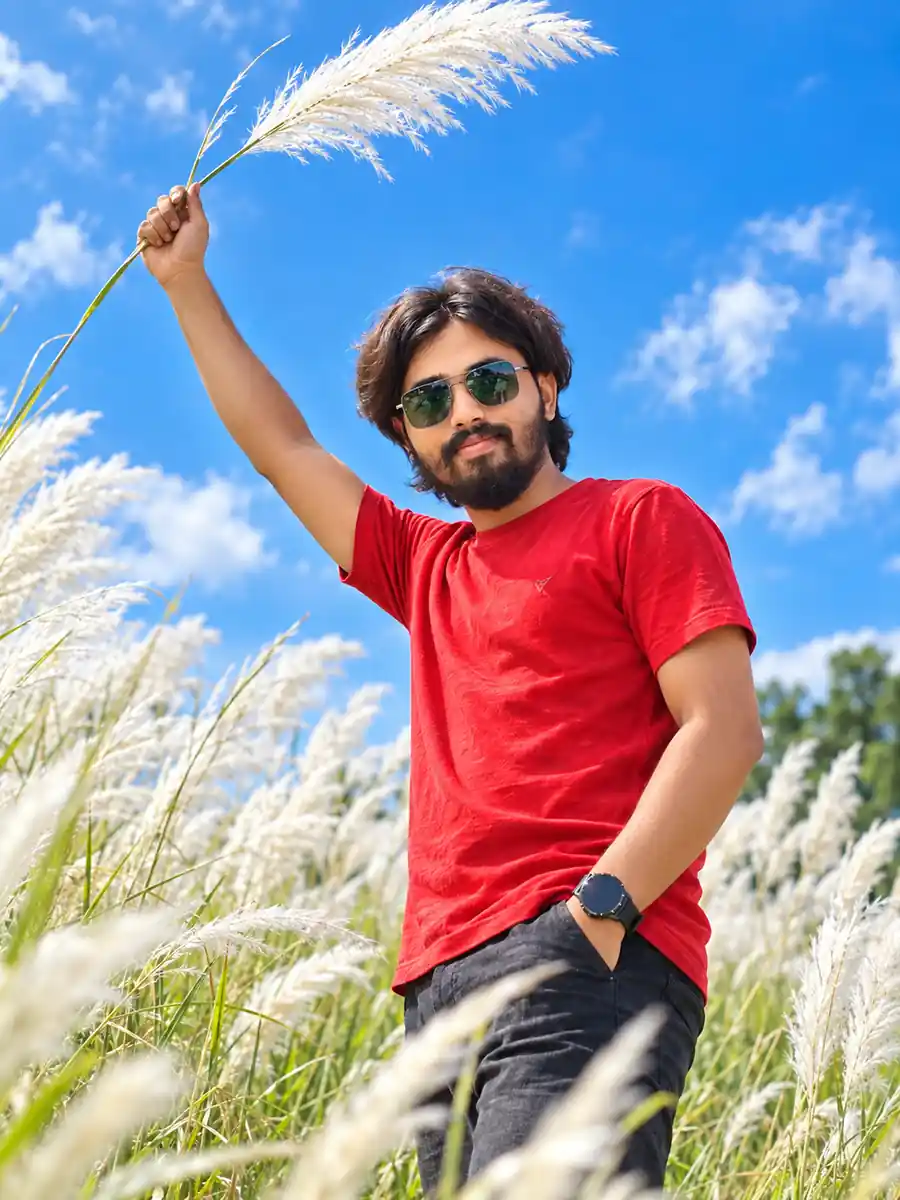
2. Kash Phool Field Portrait with Red Shirt
Red shirt aur white Kash flowers ka combination photo mein strong visual contrast create kar sakta hai.
Copy Prompt
Transform the reference photo into a realistic cinematic portrait of a young Indian man standing in a beautiful field of tall white Kash Phool flowers. Preserve the person's face, identity, hairstyle, skin tone, and facial structure as accurately as possible.

He is wearing a bright red casual button-up shirt with sleeves slightly rolled up, light blue relaxed-fit jeans, black sunglasses, and a stylish wristwatch. He stands naturally in the field with both arms spread wide, creating a confident and expressive pose.

The scene features lush green grass, tall white Kash flowers, distant palm trees, and a dramatic overcast sky. Use soft natural daylight, realistic shadows, detailed fabric texture, natural skin tones, cinematic color grading, and a professional outdoor DSLR photography style. Wide composition, sharp subject, subtle background blur, photorealistic, high-resolution Instagram portrait.
Is Prompt ka Use Kahan Karein?
- Instagram cinematic photos
- Kash Phool seasonal reels
- AI photo editing tutorials
- Social media profile pictures
3. Kash Flower AI Prompt with Motorcycle
Agar aap motorcycle ke saath ek stylish outdoor photo banana chahte hain, toh yeh prompt try kar sakte hain.
Copy Prompt
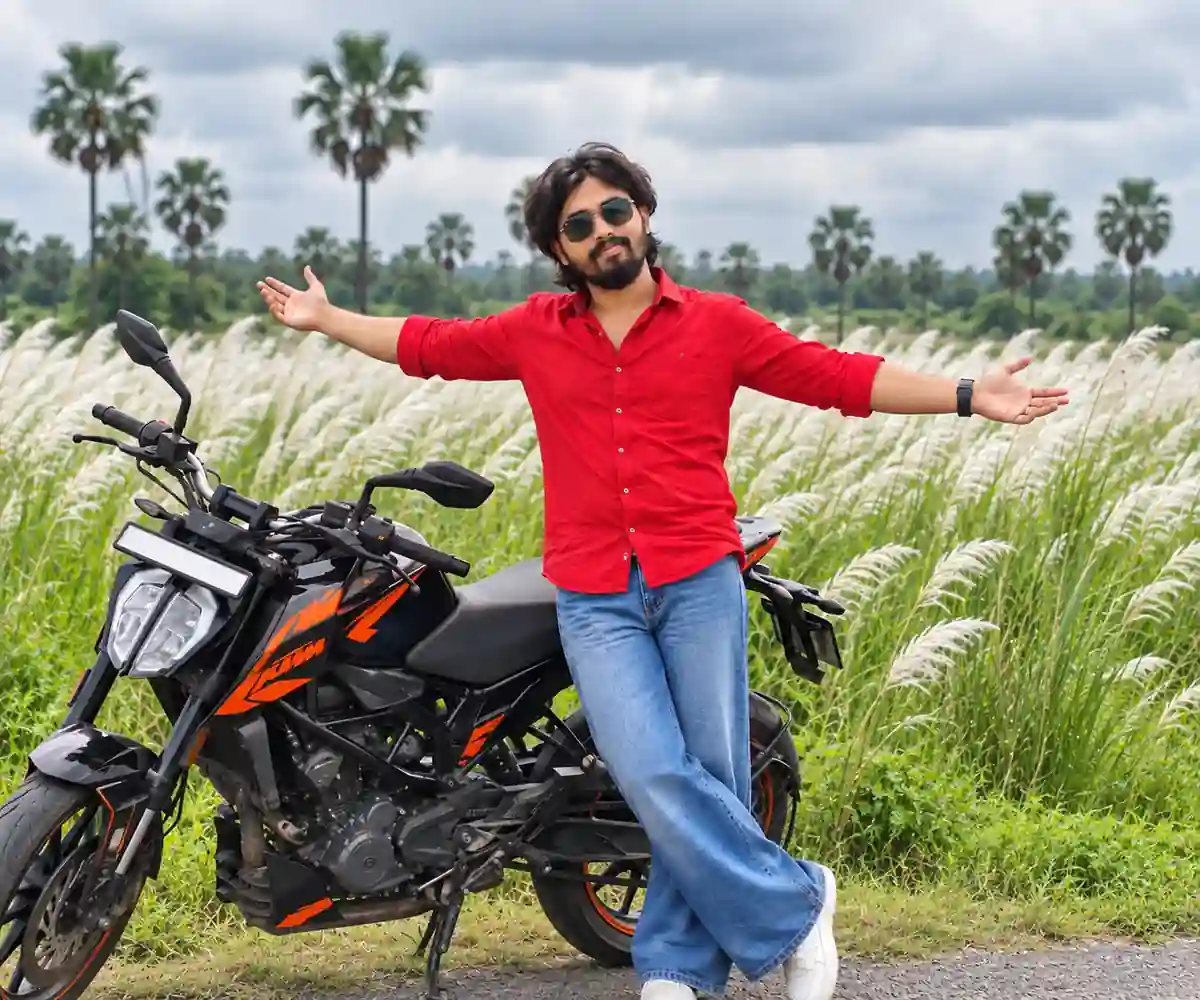
Create a photorealistic cinematic outdoor portrait using the reference image as the identity reference. Preserve the person's facial features, hairstyle, skin tone, and overall appearance as accurately as possible.

Show the young man standing beside a black and orange sporty motorcycle in a lush green field filled with tall white Kash Phool flowers. He is wearing a stylish red casual shirt, relaxed-fit blue jeans, black sunglasses, and white sneakers.

His arms are extended wide in a confident and expressive pose, while the motorcycle is positioned naturally beside him. The background features dense white Kash flowers, distant palm trees, green vegetation, and a cloudy overcast sky.

Use a wide-angle DSLR photography style, cinematic natural lighting, realistic motorcycle details, natural body proportions, sharp facial features, realistic shadows, and premium editorial composition. High-resolution photorealistic image with balanced framing and realistic colors.
Editing Tip: Motorcycle ko reference image mein include karne ki zarurat nahi hai, agar aapka AI tool text-based object generation support karta hai. Lekin exact bike model aur details chahiye toh motorcycle ki reference photo helpful ho sakti hai.
4. Dramatic Kash Phool AI Prompt
Agar aapko moody aur intense photography style pasand hai, toh dramatic lighting aur cloudy sky ka use karein.
Copy Prompt
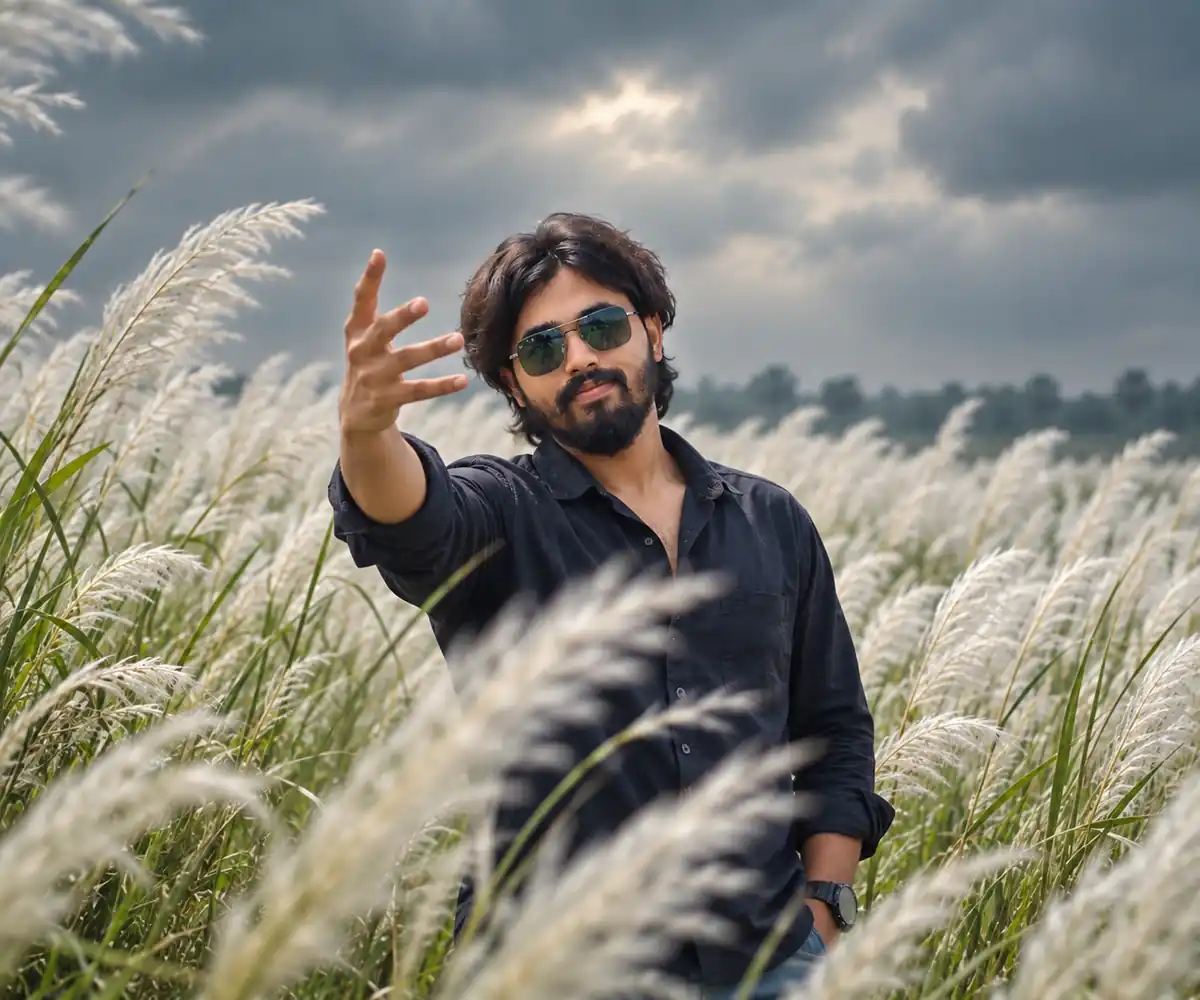
Generate a cinematic and dramatic medium shot of the man from the reference photo standing in a dense field of tall white Kash Phool flowers. Preserve his identity, facial structure, hairstyle, beard, skin tone, and natural appearance as accurately as possible.

He is wearing a dark navy blue or black oversized casual shirt with an open collar. He looks directly toward the camera with an intense and confident expression. One hand is extended toward the camera, fingers spread in a stylish dramatic gesture, creating a strong foreground perspective.

The background consists of a moody overcast sky, soft atmospheric haze, distant trees, and dense white Kash grass. Use cinematic low-contrast lighting, realistic skin texture, natural shadows, shallow depth of field, detailed grass, and professional portrait photography. Medium framing, dramatic composition, photorealistic, high detail, realistic proportions.
Is Style Ki Khasiyat
Is prompt mein bright sunny background ke bajay cloudy sky aur moody color grading use ki gayi hai. Isse photo ko dramatic aur cinematic mood mil sakta hai.
5. Kash Flower AI Prompt for Girls
Kash Flower field mein red ruffled top aur wide-leg jeans ke saath stylish female portrait bhi create kiya ja sakta hai.
Copy Prompt
Create an ultra-realistic outdoor portrait of the woman in the reference photo standing in a beautiful green field filled with tall white Kash Phool flowers. Preserve her facial identity, hairstyle, skin tone, facial features, and natural body proportions as accurately as possible.

She is wearing a stylish red ruffled top, loose blue wide-leg jeans, white sneakers, and fashionable sunglasses. She stands beside a black and orange sporty motorcycle with both arms spread wide in a joyful and confident pose.

The background features tall white Kash flowers, lush green vegetation, distant palm trees, and a soft overcast sky. Use realistic natural daylight, cinematic depth of field, detailed clothing textures, natural skin tones, professional DSLR photography, balanced composition, and realistic shadows. Wide scenic shot, photorealistic, high resolution, premium Instagram aesthetic.
How to Get More Realistic Kash Flower AI Photos?
Sirf prompt paste karna enough nahi hota. Agar aap realistic results chahte hain, toh kuch important details par dhyan dein.
1. Use a High-Quality Reference Photo
A clear reference image AI ko face aur appearance samajhne mein help kar sakti hai. Blurry ya low-light photo mein facial details accurately preserve karna difficult ho sakta hai.
2. Describe the Pose Clearly
Aapko hand position, body direction aur camera angle specify karna chahiye.
Examples:
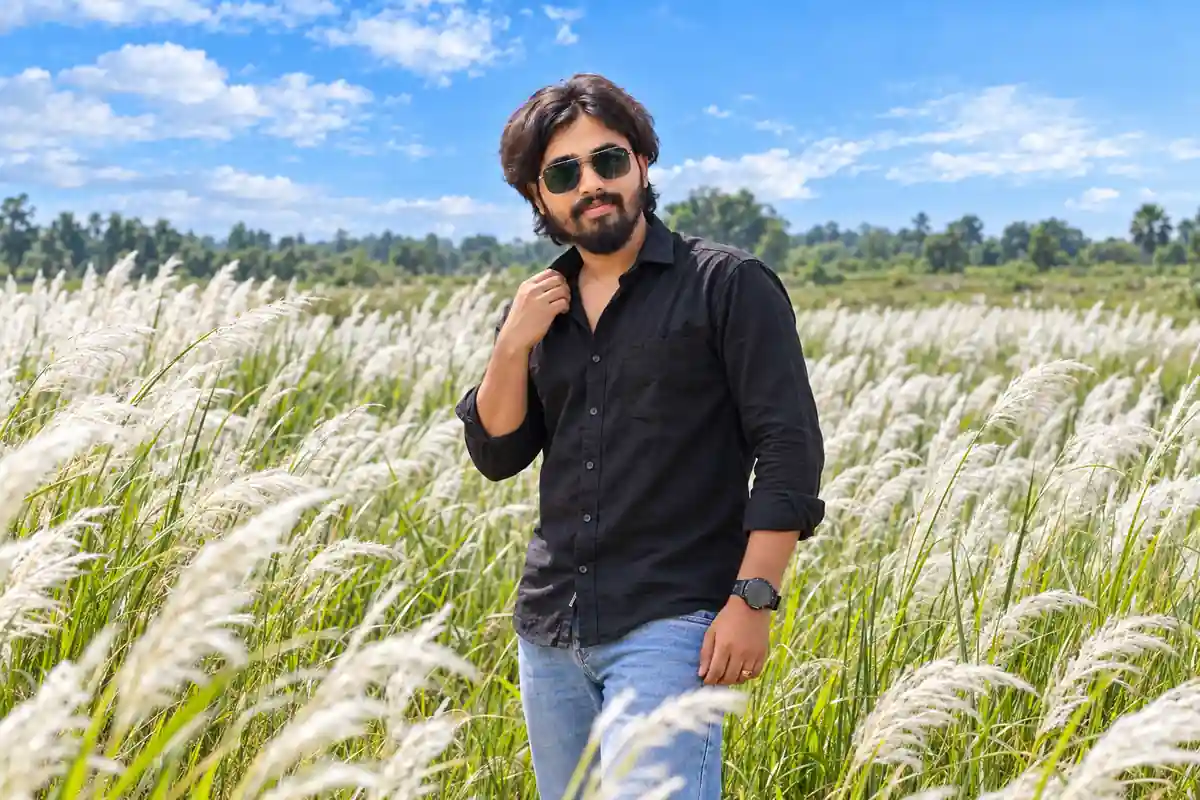
- One hand touching the shirt collar
- Both arms spread wide
- Hand extended toward the camera
- Looking slightly to the side
3. Choose the Right Lighting
Kash Flower photos ke liye different lighting styles try kiye ja sakte hain:
| Lighting Style | Photo Look |
|---|---|
| Soft daylight | Natural and clean |
| Overcast sky | Moody and cinematic |
| Golden hour | Warm and dreamy |
| Dramatic clouds | Intense and editorial |
| Diffused light | Soft and realistic |
4. Avoid Excessive Editing Instructions
Bahut saari conflicting instructions ek saath dene se output unpredictable ho sakta hai. Prompt mein subject, pose, outfit, background aur lighting ko priority ke saath describe karein.
Common Problems in AI Kash Flower Photo Editing
AI editing ke dauran kuch problems aa sakti hain:
Face Change: AI reference face ko perfectly preserve nahi kar pata.
Extra Fingers: Hand gestures generate karte waqt fingers aur hands mein errors aa sakte hain.
Unrealistic Background: Kash flowers aur trees kabhi-kabhi artificial appear kar sakte hain.
Incorrect Clothing: Shirt, jeans ya accessories prompt ke according exactly generate nahi hote.
Solution
Agar first output satisfactory nahi hai, toh prompt ko simplify karke dobara generate karein. Specific corrections add karein, jaise:
“Keep the face closer to the reference image and correct the hand anatomy. Maintain natural finger proportions.”
Har tool mein correction capability alag hoti hai, isliye results vary kar sakte hain.
Why Kash Flower AI Photos Are Popular
Kash Phool fields ka natural white-and-green color combination outdoor photography ke liye visually appealing hai. Cloudy sky, rural landscape aur cinematic poses ke saath images ko seasonal photography theme diya ja sakta hai.
AI editing ke through users different outfits, poses aur backgrounds experiment kar sakte hain bina actual location par photoshoot kiye.
Lekin AI-generated images ko real photography ke replacement ke roop mein present karne ke bajay, creative editing aur visual experimentation ke liye use karna better hai.
Final Words
Kash Flower AI Photo Editing Prompt ki madad se aap apni normal photo ko cinematic outdoor portrait style mein transform karne ki koshish kar sakte hain. Chahe aapko black shirt mein dramatic Kash Phool photo chahiye, red shirt mein stylish portrait banana ho ya motorcycle ke saath Instagram-ready image create karni ho, sahi reference image aur detailed prompt helpful ho sakte hain.
Aap upar diye gaye prompts ko apni preferred AI photo editing tool mein try kar sakte hain. Better results ke liye face identity, pose, lighting aur background par focused instructions dein.
Aapko kaunsa Kash Flower AI Photo Editing Prompt pasand aaya? Boys, Girls, Motorcycle ya Dramatic Cinematic Style?
Conflicting instructions avoid karne wali baat sabse practical lagi. Kash phool, outfit, pose aur dramatic sky ko ek hi prompt mein detail se likhte waqt priority clear na ho to result artificial ho sakta hai. Pehle background aur pose fix karke, phir lighting ya accessories ko second pass mein refine karna bhi useful workflow ho sakta hai.