
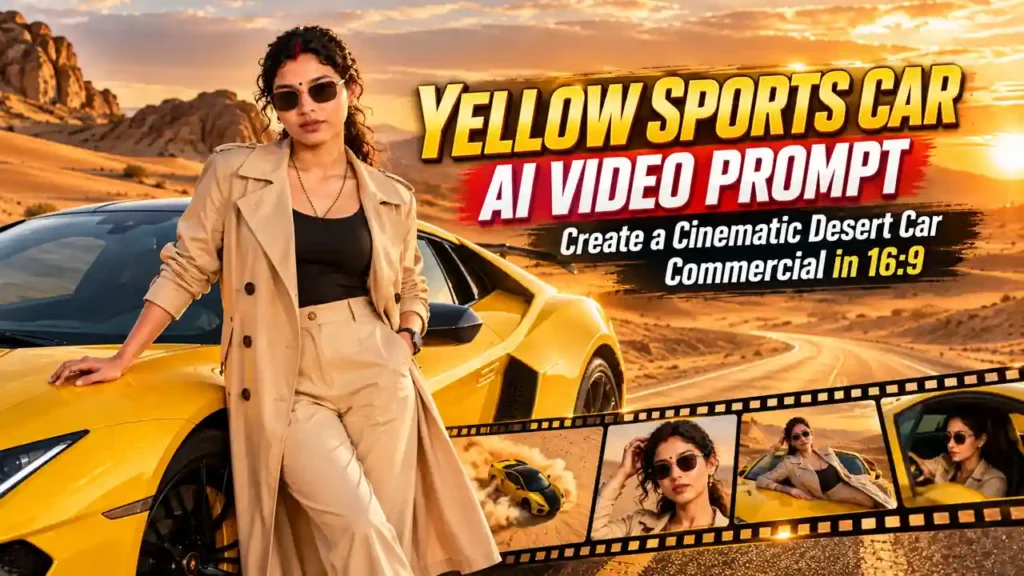
AI video generation aur image-to-video technology ne cinematic content creation ko kaafi easy bana diya hai. Ab aap bina expensive camera setup, desert location, sports car aur professional film crew ke ek luxury commercial-style video create kar sakte hain.
Aaj ke is tutorial mein hum ek golden desert + yellow exotic sports car + female model concept ko cinematic video mein convert karenge. Is concept mein wide desert landscape, drifting sports car, highway walking shot, luxury portrait, hood pose aur final drive-off sequence ko combine kiya gaya hai.
Is type ke video ka sabse important part sirf beautiful background nahi hai. Real challenge hota hai same character identity ko poore video mein consistent rakhna.
Agar first clip mein face ek jaisa hai aur second clip mein AI completely different face generate kar deta hai, to video ka professional look immediately break ho jata hai. Isi wajah se prompt mein identity preservation, facial likeness, hairstyle, body proportions aur wardrobe consistency ko clearly mention karna important hai.
What Makes This AI Video Concept Different?
Is cinematic concept mein ek yellow exotic sports car ko central visual element banaya gaya hai. Background mein golden desert dunes aur empty highway cinematic scale create karte hain.
Video ko do major clips mein divide kiya gaya hai:
- Clip 1: Drift, entrance aur highway walking sequence
- Clip 2: Portrait, car hood pose aur drive-off sequence
Dono clips ko alag generate karne ka advantage ye hai ki AI model ko ek hi generation mein bahut saare complicated movements handle nahi karne padte.
Aap pehle environment aur walking/drifting shots generate kar sakte hain aur uske baad close-up portrait aur driving sequence create kar sakte hain.
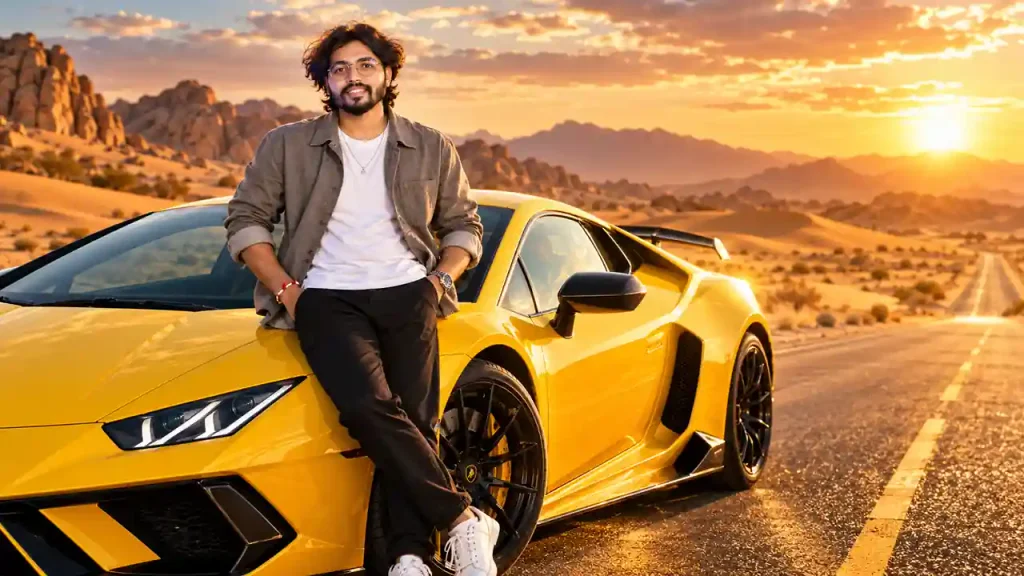
Clip 1 — The Drift, Entrance & Highway Walk (Male)
Clip 2 — The Portrait, Hood Rest & Drive-Off (Male)
Clip 1: The Drift, Entrance & Highway Walk
Clip 1 ka main purpose video ko powerful cinematic opening dena hai.
Is clip mein teen major visual moments hain:
- Sports car drift
- Female model ka car ke paas stylish pose
- Empty highway par walking shot
Ye sequence ek luxury automotive commercial ke opening jaisa feel create karta hai.
Opening: Aerial Drift Shot
Video ki beginning ek wide top-down aerial drone shot se hoti hai.
Yellow exotic sports car desert ke beech sharp circular drift perform karti hai. Car ke tyres desert sand ko aggressively push karte hain aur uske around thick dust cloud create hota hai.
Yahan top-down camera angle bahut important hai.
Normal eye-level camera se car ka drift impressive ho sakta hai, lekin top-down aerial view desert ke massive scale ko bhi show karta hai.
Prompt mein:
“wide top-down aerial drone shot”
jaise words use karne ka reason ye hai ki AI model camera ko ground-level ke bajay aerial perspective mein maintain kare.
Sand Dust Is Important
Drifting shot mein sand dust sirf background effect nahi hai. Ye motion ko visually communicate karta hai.
Agar dust bahut kam ho, to car stationary ya slow-moving feel kar sakti hai.
Lekin agar dust completely car ko cover kar de, to vehicle ki shape aur details disappear ho sakti hain.
Isliye prompt mein thick swirling sand dust jaisa description cinematic balance create karta hai.
Female Character Introduction
Drift shot ke baad video female subject par transition karta hai.
Yahan sabse important requirement hai character identity consistency.
Agar aap reference image use kar rahe hain, to prompt mein clearly mention karna chahiye ki female subject ka:
- Face
- Facial structure
- Skin tone
- Hairstyle
- Body proportions
- Overall identity
reference image ke according consistent rahe.
Iska purpose AI ko ye signal dena hai ki background ya scene change ho sakta hai, lekin character ki identity unnecessarily redesign nahi honi chahiye.
Beige Trench Coat Look
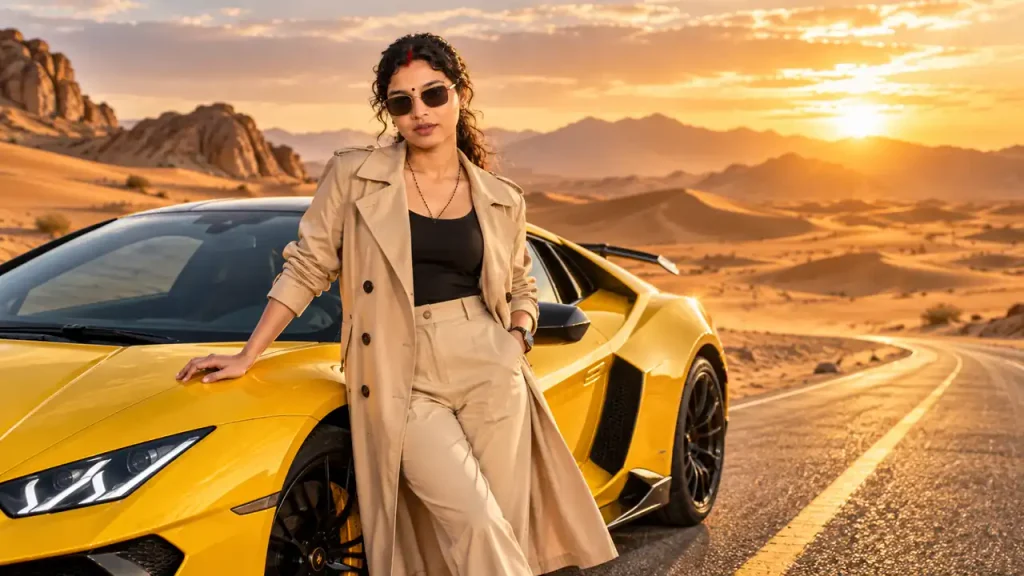
Female subject ko tailored beige trench coat mein yellow sports car ke beside pose karaya gaya hai.
Beige aur yellow ka combination desert environment ke saath naturally blend karta hai.
Yahan wardrobe ko unnecessarily complicated nahi rakha gaya hai.
Simple luxury styling AI video mein generally better result de sakti hai kyunki model ko fewer visual elements maintain karne padte hain.
Prompt mein:
“tailored beige trench coat”
jaisi specific wardrobe description character styling ko consistent rakhne mein help karti hai.
Desert Background Composition
Background mein wide desert dunes aur horizon visible hona chahiye.
Yahan framing ka goal sirf model aur car ko show karna nahi hai. Environment ko bhi visual story ka part banana hai.
Aapko ideally:
- Large desert dunes
- Clear horizon
- Golden sunlight
- Long shadows
- Open cinematic space
maintain karna chahiye.
Isse shot expensive automotive commercial jaisa feel deta hai.
Highway Walking Shot
Clip 1 ka final section empty desert highway par walking sequence hai.
Female subject yellow center divider line ke along steadily walk karti hai.
Camera uske upar se top-down drone tracking shot mein movement follow karta hai.
Ye shot visually powerful isliye hota hai kyunki road ek straight geometric line create karta hai, jabki desert naturally organic shapes create karta hai.
Yellow road line aur yellow sports car ke color ko visually connect karne se sequence mein subtle color continuity bhi create hoti hai.
Why 16:9 Is Important
Is concept ke liye 16:9 widescreen framing choose ki gayi hai.
16:9 ka advantage ye hai ki:
- Car ko comfortably frame kiya ja sakta hai
- Desert ka scale visible hota hai
- Highway ki length properly show hoti hai
- Cinematic commercial composition create hoti hai
- YouTube aur widescreen video platforms ke liye suitable output milta hai
Prompt ke end mein:
–ar 16:9
mention karna aspect ratio requirement ko reinforce karta hai, agar aapka AI tool is syntax ko support karta ho.
Clip 2: The Portrait, Hood Rest & Drive-Off
Second clip ka mood thoda different hai.
Clip 1 environment aur movement establish karta hai, jabki Clip 2 character aur car ki luxury feel ko highlight karta hai.
Is clip mein four major moments hain:
- Close-up portrait
- Hair-touching pose
- Hood rest shot
- Car detail + driving shot
Cinematic Portrait Opening
Clip 2 ki beginning eye-level close-up portrait se hoti hai.
Female subject designer black sunglasses pehenti hai aur warm desert sunlight mein gently apne hair ko touch karti hai.
Is shot mein facial identity sabse important element hai.
Close-up shots AI generation ke liye challenging ho sakte hain because face screen par comparatively large area occupy karta hai.
Agar facial structure change ho jaye, to audience immediately difference notice kar sakti hai.
Isliye prompt mein identity preservation ko strongly define karna useful hai.
Designer Sunglasses
Black sunglasses character ko luxury fashion-commercial aesthetic dete hain.
Lekin sunglasses ka ek challenge bhi hai.
Agar AI glasses ko repeatedly reshape karta hai, frame position change karta hai ya eyes/face ko distort karta hai, to close-up shot unnatural lag sakta hai.
Isliye generation ke dauran sunglasses ko consistent accessory ke roop mein describe karna useful hai.
Hood Rest Shot
Portrait ke baad camera wide-medium shot mein transition karta hai.
Female subject yellow sports car ke hood par relaxed pose mein hoti hai aur hands ko head ke behind rakhti hai.
Background mein desert dunes continue rehte hain.
Ye shot close-up portrait ke opposite hai.
Portrait mein attention face par hoti hai.
Hood shot mein:
Character + Car + Environment
teeno ek frame mein visible hote hain.
Isi wajah se ye shot video ko commercial scale deta hai.
Car Macro Tracking Shot
Is sequence ka ek important cinematic transition car ke front bumper aur LED headlights ka macro tracking shot hai.
Camera horizontally car ke aerodynamic front section ke across move karta hai.
Ye shot video ko ek professional automotive advertisement jaisa feel de sakta hai.
Car details ko describe karte waqt:
- Aerodynamic bumper
- Sharp body lines
- Glowing LED headlights
- Metallic reflections
jaise visual elements useful hote hain.
Macro shot ko unnecessarily long rakhne ki zarurat nahi hoti. Short fast-moving transition bhi kaafi effective ho sakta hai.
Final Drive-Off Shot
Clip ka ending side-window profile shot se hota hai.
Female subject driver seat mein hoti hai, sunglasses pehne hue steering wheel hold karti hai.
Golden-hour reflections car ke glass par visible hote hain.
Ye shot sequence ko ek natural ending deta hai.
Pehle character car ke bahar thi.
Ab character car ke andar hai.
Is visual progression se viewer ko feel hota hai ki character ab journey start kar rahi hai.
The Biggest Challenge: Character Consistency
Is type ke AI video mein sabse difficult part camera movement nahi, balki identity consistency hai.
Aapka prompt kitna bhi detailed ho, different generations mein AI kabhi-kabhi:
- Face shape change kar sakta hai
- Nose structure modify kar sakta hai
- Hairstyle change kar sakta hai
- Skin tone alter kar sakta hai
- Body proportions change kar sakta hai
- Clothing details modify kar sakta hai
Isliye sirf “same woman” likhna enough nahi hota.
Reference image ko primary identity reference ke roop mein use karna aur har clip mein same identity requirements repeat karna comparatively stronger approach hai.
Recommended Generation Workflow
Agar aap is concept ko practically generate kar rahe hain, to poora video ek single prompt mein generate karne ki jagah clips mein divide karna better workflow ho sakta hai.
Step 1: Prepare Reference Image
High-quality female reference image use karein.
Face clearly visible ho aur lighting reasonable ho.
Step 2: Generate Clip 1
Pehle drift + car pose + highway walk sequence generate karein.
Step 3: Generate Clip 2
Same reference image aur same character description ke saath portrait + hood + drive-off sequence generate karein.
Step 4: Select Best Takes
Har generated clip ka best version choose karein.
Step 5: Edit Together
Editing software mein clips ko sequence ke according arrange karein.
Example:
Drift → Car Pose → Highway Walk → Portrait → Hood Pose → Car Detail → Drive-Off
Step 6: Add Sound Design
Luxury commercial feel ke liye sound design extremely important hai.
Aap add kar sakte hain:
- Engine rev
- Tyre skid
- Sand movement
- Wind ambience
- Subtle cinematic whoosh
- Low-frequency impact
- Engine acceleration
Sound design weak hua to visually good AI video bhi amateur feel de sakta hai.
Cinematic Color & Lighting
Is concept ka overall lighting style warm golden desert daylight par based hai.
Golden light car ke yellow paint ko naturally enhance karta hai.
Saath hi desert sand aur skin tone ke beech visual harmony create hoti hai.
Aap final edit mein excessive saturation avoid karein.
Yellow car already strong visual element hai, isliye colors ko unnecessarily oversaturate karne se footage artificial lag sakti hai.
Camera Movement Strategy
Different shots mein different camera movements use karne ka reason hai.
Aerial Shot
Environment establish karne ke liye.
Side Shot
Character aur car relationship show karne ke liye.
Tracking Shot
Walking movement follow karne ke liye.
Close-Up
Character identity highlight karne ke liye.
Macro Tracking
Car details emphasize karne ke liye.
Profile Shot
Final driving moment establish karne ke liye.
Agar har shot mein same camera movement use karenge, video monotonous feel ho sakta hai.
Common Mistakes To Avoid
1. Too Many Actions in One Prompt
AI ko ek hi shot mein drift, walking, running, turning, talking aur driving sab karne ko mat boliye.
Complex actions ko separate clips mein divide karein.
2. Identity Description Change Karna
Har clip mein character description completely different mat karein.
Reference image aur consistent identity description maintain karein.
3. Background Change
Agar Clip 1 desert mein hai aur Clip 2 suddenly completely different environment mein generate hota hai, continuity break hogi.
Desert, lighting aur overall visual tone ko consistent rakhein.
4. Excessive Camera Movement
Har shot ko hyper-fast banana cinematic nahi hota.
Kabhi slow tracking shot, kabhi static composition aur kabhi fast macro movement use karna better visual rhythm create karta hai.
5. Overloaded Prompt
Bahut zyada contradictory instructions AI model ko confuse kar sakti hain.
Prompt ko logical sequence mein likhna better hai:
Camera → Subject → Action → Environment → Lighting → Style → Quality → Aspect Ratio
Final Prompt Structure
Aap future AI video prompts ke liye ek basic structure follow kar sakte hain:
Camera & Framing
Wide cinematic 16:9 shot…
Subject Identity
Use the female subject from the reference image with consistent facial identity, hairstyle, skin tone and body proportions…
Action
She walks steadily / sits in the car / touches her hair…
Environment
Golden desert, expansive dunes, empty highway…
Lighting
Warm golden daylight, natural shadows…
Camera Movement
Drone tracking / macro tracking / side profile…
Visual Style
Luxury automotive commercial, cinematic, photorealistic…
Output
High-detail, realistic motion, cinematic lighting, 16:9 widescreen.
Final Thoughts
Yellow sports car aur golden desert ka combination AI video generation ke liye visually powerful concept create karta hai. Lekin sirf expensive-looking car aur beautiful desert enough nahi hai.
Professional result ke liye character consistency, camera language, environment continuity, lighting aur editing rhythm ko equally important rakhna padega.
Is concept mein Clip 1 audience ko location aur character se introduce karta hai, jabki Clip 2 luxury portrait aur automotive details ke through story ko complete karta hai.
Agar aap dono clips ko carefully generate karke smooth transitions, realistic sound effects aur cinematic music ke saath edit karte hain, to final output ek high-end luxury automotive commercial jaisa visual experience de sakta hai.
Sabse important rule simple hai: AI ko ek saath poori film banane ke liye force mat karein. Scene ko intelligently break karein, character identity lock rakhein aur har shot ka ek clear cinematic purpose rakhein.
Very nice prompt