Remove Pages from PDF
Customize Your Pdf by Removing Pages From Pdf
Drop your PDF here or
Remove Pages from PDF – Delete Unwanted Pages from Your PDF Online
Managing PDF files becomes much easier when you can quickly remove unnecessary pages without installing any software. Whether you want to delete blank pages, outdated information, duplicate pages, or confidential content, our Remove Pages from PDF tool lets you do it in just a few clicks.
This browser-based tool works directly on your device, so your PDF remains private and secure throughout the process.
What Is the Remove Pages from PDF Tool?
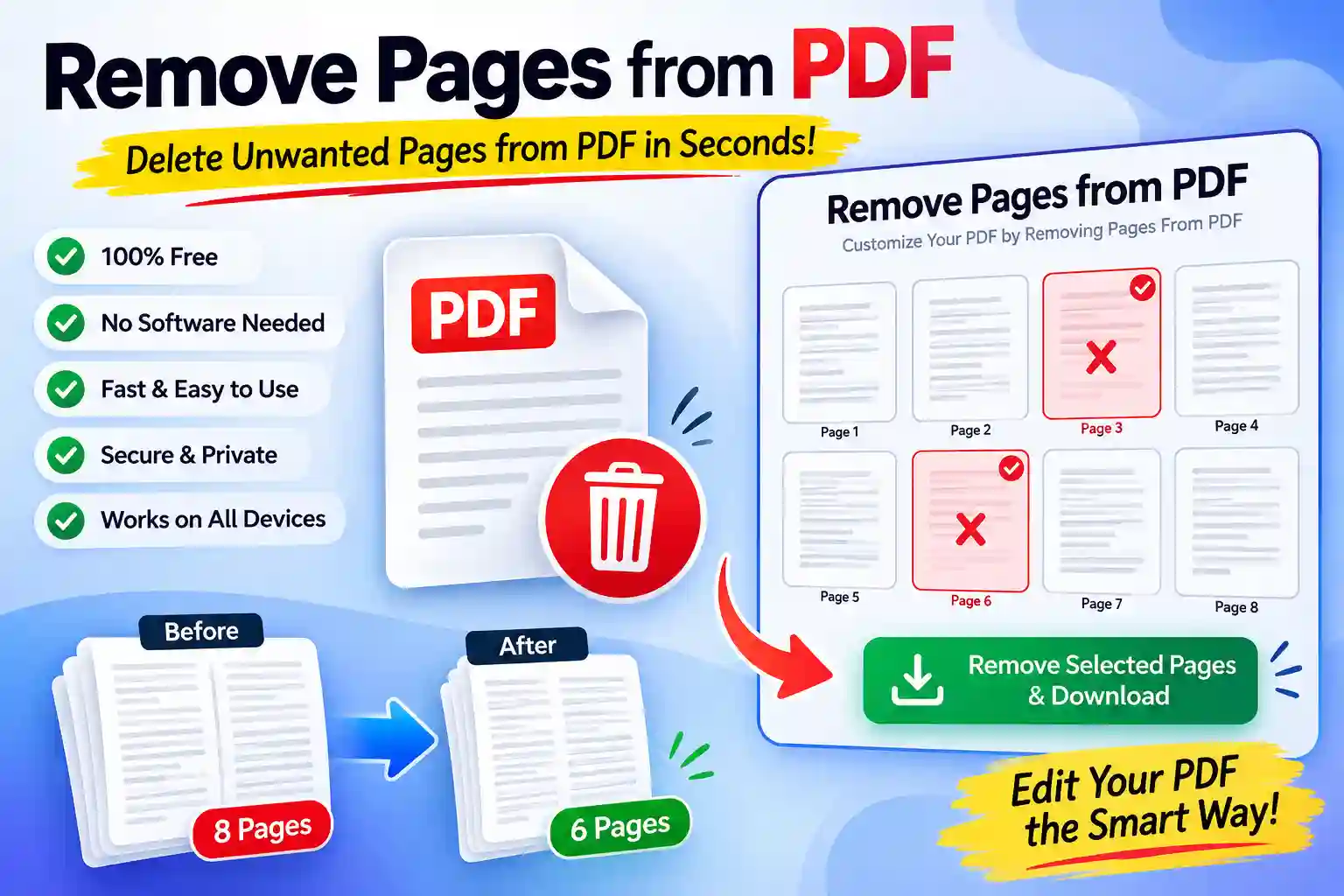
The Remove Pages from PDF tool is a free online utility that allows you to delete one or multiple pages from any PDF document. Simply upload your PDF, preview all pages, select the pages you want to remove, and download the updated PDF instantly.
Since everything happens in your browser, your files are not uploaded to a server, providing better privacy and faster processing.
Key Features
- Remove one or multiple pages from any PDF
- Live page preview before deleting
- Drag and drop PDF upload
- Select pages with a single click
- Fast processing and instant download
- Works completely inside your browser
- No registration required
- Mobile, tablet, and desktop friendly
- Safe and secure processing
How to Use
- Open the Remove Pages from PDF tool.
- Upload your PDF file or drag and drop it into the upload area.
- Wait for the page previews to load.
- Select the pages you want to remove.
- Click Remove Selected Pages & Download.
- Download your newly edited PDF instantly.
Why Use This Tool?
There are many situations where removing PDF pages is useful, such as:
- Delete blank pages before sharing.
- Remove outdated information.
- Eliminate duplicate pages.
- Hide confidential or sensitive data.
- Reduce document size.
- Create a shorter version of a report or presentation.
Benefits
Unlike many online PDF editors, this tool is lightweight, simple, and easy to use. It offers:
- Fast performance
- High-quality PDF output
- No watermark added
- No software installation
- Free access
- Secure local processing
Privacy & Security
Your privacy is important. This tool processes PDF files directly inside your browser. Your documents are not stored or uploaded to external servers, making it a secure option for handling personal or business PDFs.
Frequently Asked Questions
Is this tool free?
Yes. You can remove PDF pages without paying any fees.
Can I remove multiple pages?
Yes. You can select one or several pages at the same time.
Will the PDF quality change?
No. The remaining pages keep their original quality.
Does it work on mobile devices?
Yes. The tool is fully responsive and works on smartphones, tablets, and desktop browsers.
Are my files uploaded?
No. The PDF is processed locally in your browser for better privacy.
Final Words
If you need a quick and secure way to remove unwanted pages from a PDF, this Remove Pages from PDF tool is an excellent solution. With page previews, simple page selection, and instant download, it makes editing PDF documents fast and effortless without requiring any software installation.